Why convert MBOX to DOC online?
An MBOX file keeps many emails together, and opening it usually takes an email program or an MBOX viewer. A Word document opens almost anywhere and can be edited. This MBOX to DOC converter online is useful when you want to:
- Read emails in Microsoft Word: review email content without an email program.
- Edit email content: work with a message in a word processor.
- Share email records: send email content as Word documents for review.
- Prepare documentation: use important messages in reports and business records.
- Keep readable copies: store emails in a format that's easy to reach.
The best MBOX to DOC converter online for you is one that keeps each email readable, with its sender, date and pictures in place.
How to convert MBOX to DOC online
Step 1. Select your MBOX file
Click Select MBOX file at the top of this page, or drop the file onto the box. Pick the mailbox file itself, not a ZIP archive or an index file.
Step 2. Start the conversion
Click Convert to DOC and keep the tab open while it counts through your emails.
Step 3. Download your documents
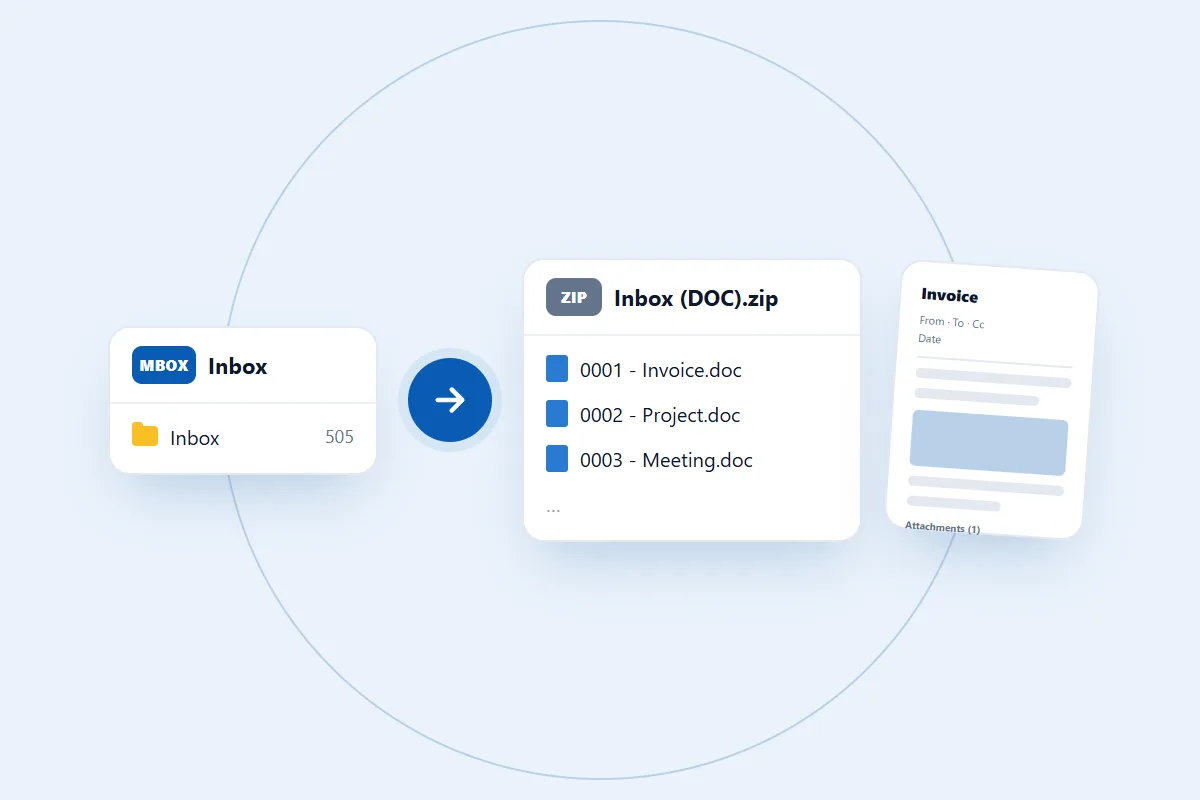
Click Download DOC. A mailbox with many emails comes back as one ZIP file, so extract it before opening the documents. An MBOX with a single email comes back as one document.
Where can you find your MBOX file?
The location depends on the email program or service it came from.
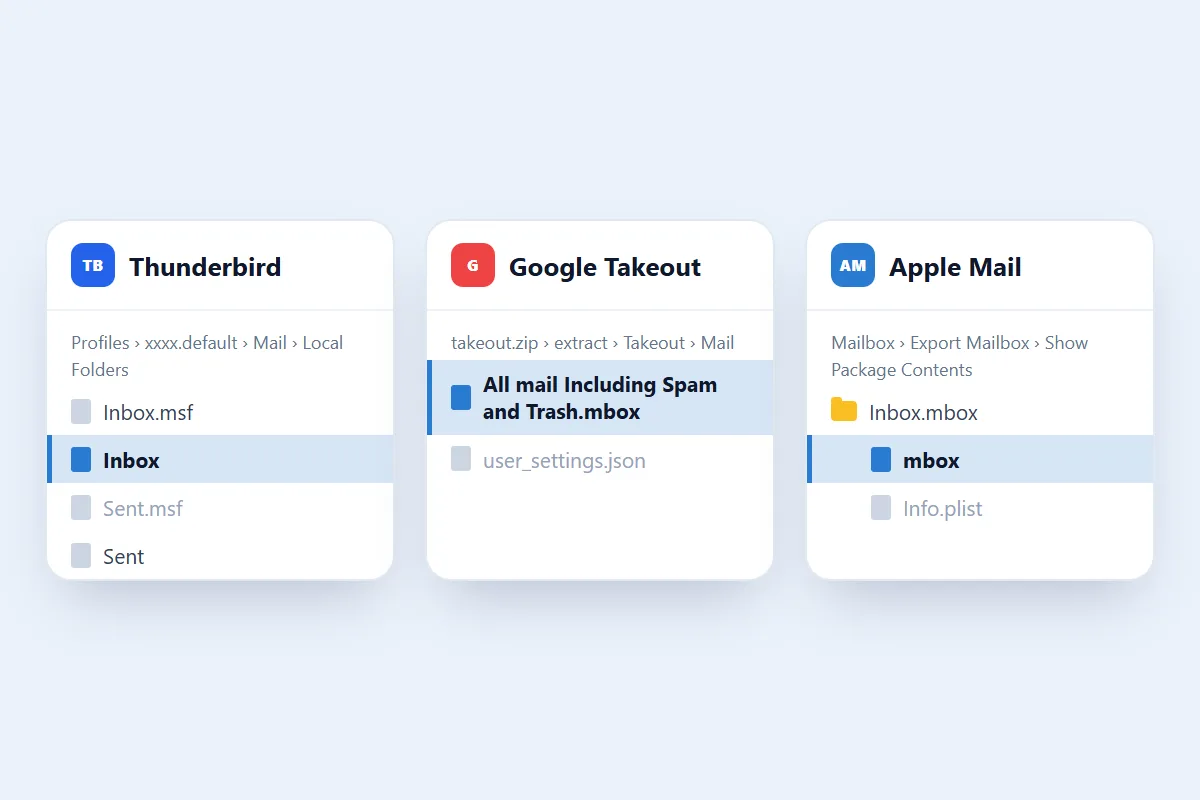
- Thunderbird: go to Help > Troubleshooting Information, click Open Folder next to Profile Folder, then open Mail or ImapMail. Pick the mailbox file, which may have no extension, not the
.msffile next to it. - Google Takeout: extract the downloaded ZIP, open Takeout > Mail and pick the
.mboxfile. - Apple Mail: find the exported
.mboxpackage, right-click it, choose Show Package Contents and pick the file namedmboxinside.
What goes into each document?
The MBOX to DOC converter online makes one document for each email. Each one shows:
- Subject: as the heading of the document.
- Sender and recipients: From, To and Cc. Bcc isn't shown.
- Date and time: taken from the message, shown in UTC.
- Email body: the full message with its HTML formatting, tables and links.
- Embedded images: pictures that sit inside the email body.
- Attachment list: the name and size of each attachment. The attached files themselves aren't in the document.
In the ZIP, each document is numbered and named after its subject, so the files stay in order.
Things to know before you convert
- The maximum MBOX file size is 100 MB, and you convert one file at a time.
- Thunderbird keeps each mail folder in its own file, so convert each folder you want separately.
- The documents are copies of your emails and don't replace the mailbox, so keep your MBOX as a backup.
- Contacts, calendars, tasks and account settings aren't stored in an MBOX file, so they aren't in the documents.
How long does it take?
It depends on how many emails the file holds and how many pictures they carry. In our tests an 11 MB Thunderbird folder with 505 emails took under two seconds.
How to open the converted DOC file
- If you downloaded a ZIP, right-click it and choose Extract All.
- Open Microsoft Word and select File > Open > Browse.
- Go to the document, select it and click Open.
Word may open a downloaded file in Protected View. Click Enable Editing if you want to change it. We have only tested the files in Microsoft Word, not in other word processors.
Is it safe to convert MBOX to DOC online?
Your MBOX file is used for one thing only: making the documents you download. We don't read your emails, share them or use them for anything else. You don't need to give us your email password or access to your mailbox. Read our privacy policy for the details.
What we tested
We tested this online MBOX to DOC converter with real files and opened the results in Microsoft Word.
- An 11 MB Thunderbird mail folder with 505 emails, which gave 505 documents. We opened a sample of them in Word, and their tables, pictures and links came through.
- A test mailbox with Cc recipients, a table, a link, a picture in the body and an attached file. Word showed all of them, with the attachment listed by name.
Gmail Takeout and Apple Mail exports use the same standard MBOX layout, but we haven't tested a file from either yet.
What to check after MBOX to DOC conversion
- Email count: the number of documents should match the number of emails.
- Header details: check the sender, recipients, subject and date.
- Email body: make sure the text is readable and complete.
- Formatting: check paragraphs, links and tables.
- Pictures and attachments: pictures should show in the body, and attachments should be listed at the end.
What makes the best MBOX to DOC converter online?
Convert a small mailbox first and check these points before you rely on any tool:
- Header details: the sender, recipients, subject and date should stay visible.
- Formatting: compare an email that has tables and pictures with the original.
- Attachments: find out how they are handled. Ours lists them by name and size.
- File size: check the limit against your file. Ours takes MBOX files up to 100 MB.
- Passwords: a saved MBOX doesn't need your email password, so be careful with any tool that asks for it.
Common problems
1. The converter won't take your file
Check that you selected the MBOX file itself and that it is 100 MB or smaller. Extract a Google Takeout ZIP first, and from Thunderbird pick the file with no extension, not the .msf file.
2. Pictures don't appear in a document
Pictures that were loaded from the internet rather than embedded in the email may not show, especially without a connection. Compare with the original email.
3. The conversion doesn't finish
Damaged mailbox data, or closing or reloading the tab, can stop it. Try again in an up-to-date Chrome, Edge, Firefox or Safari. Still stuck? Contact us and describe what you see. Please don't send private email content.